=== Simple RSS Feed Image ===
Contributors: itrokkzllc
Donate link: https://paypal.me/itrokkz
Tags: rss, feed, featured image, image, post thumbnail
Requires at least: 5.0
Tested up to: 6.8
Requires PHP: 7.4
Stable tag: 1.2.0
License: GPLv2 or later
License URI: https://www.gnu.org/licenses/gpl-2.0.html
Adds the post’s featured image to the beginning of the content in the RSS feed. Includes a settings page to select the image size.
== Description ==
This simple plugin solves a common problem: featured images not appearing in your RSS feed. Once activated, it automatically hooks into your feed’s content and prepends the featured image to every post.
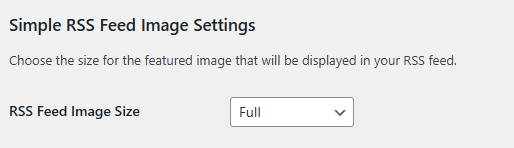
You can easily choose the desired image size from a dropdown menu on the Settings > Reading page. This allows you to control the feed’s layout without touching any code.
This is especially useful for services like Mailchimp, n8n, or other feed readers that use your RSS feed to create newsletters or aggregate content.
The image is wrapped in a <div class="rss-featured-image"> so you can style it if your feed reader supports custom CSS.
== Installation ==
- Upload the
simple-rss-feed-imagefolder to the/wp-content/plugins/directory. - Activate the plugin through the ‘Plugins’ menu in WordPress.
- Go to Settings > Reading in your WordPress admin area.
- Scroll down to the “Simple RSS Feed Image Settings” section and choose your desired image size.
- Save changes. That’s it!
== Frequently Asked Questions ==
= Where do I change the image size? =
You can find a dropdown menu to select the image size on the Settings > Reading page in your WordPress admin dashboard.
== Screenshots ==
- The settings section on the “Settings > Reading” page, showing the image size dropdown.
== Upgrade Notice ==
= 1.2.0 =
This version adds a settings page under “Settings > Reading” to allow users to select the image size directly from the admin area.
== Changelog ==
= 1.2.0 =
- New Feature: Added a settings page under “Settings > Reading” to select the image size.
- The plugin now dynamically fetches the saved image size option.
= 1.1.0 =
- Added a
divwith classrss-featured-imageto wrap the image for easier styling. - Updated plugin header information.
= 1.0.0 =
- Initial release.
Leave a Reply